

Have you ever joined a sprint planning session and realized that everyone has a different idea of what the feature is supposed to do?
Yes – I have been there too. That’s usually where unclear user stories are the culprit.
The truth is, effective user stories are the backbone of smooth product development. When written well, they bring clarity, align the team, and make delivery more predictable. The best part? You don’t need to be a “guru” to write good ones, just a clear structure.
Let’s break it down together
First Things First – What is a User Story?
Think of a user story as a short, simple statement that captures what a user wants and why. It’s not a long explanation.
It answers three core questions:
- Who is the user?
- What do they want?
- Why do they want it?
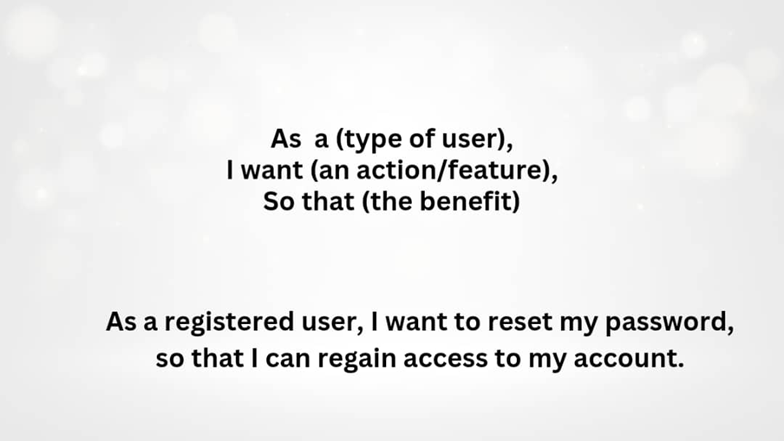
The standard format goes like this:
As a [type of user], I want [an action/feature], so that [the benefit].
Example:
As a registered user, I want to reset my password so that I can regain access to my account.
That is it; simple and clear. This format keeps the business, design, and development team aligned on the value of the feature.
Key features of an effective User Story
Here are a few things to always keep in mind when writing user stories:
- Clear User – Know exactly who the story is for.
- Specific Goal – What exactly does the user want to do?
- Real Value – Why does this matter?
- Use the format – As a…, I want…, so that…
- Acceptance Criteria – What needs to happen for this story to be considered “done”?
Why Writing an Effective User Stories Matters

- It makes everyone understands what is being built and why.
- It brings the developers, testers, designers, and BAs on the same page.
- It helps to reduce going back-and-forth on a project.
- The acceptance criteria make it easy to know when “done” is done.
Example (Bank App):
User Story:
As a bank customer, I want to transfer money to another account so that I can make payments conveniently.
Acceptance Criteria (Given-When-Then) format:
- Given that I am logged into my bank account,
When I navigate to the “Transfer” page and enter receiver’s details and amount,
Then the system should successfully process the transfer and send a confirmation message.
Common Mistakes to avoid when writing User Stories

- Vague stories like “Improve the dashboard”
- Forgetting to explain why the story matters
- Combining multiple features into one story
- Skipping acceptance criteria
- Writing stories that sound like technical specs instead of user needs
Avoiding these alone can make your stories so much clearer and easier to implement.

Conclusion
Effective user stories don’t have to be complicated. The magic is in keeping them clear, valuable, and user-focused. Once you start practicing, it becomes second nature.
So next time you sit down to write one, just remember: Who wants what and why, then add acceptance criteria using the “Given, When and Then” technique, and you are good to go.
What is your biggest challenge when it comes to writing user stories? Drop it in the comments, I would love to hear your thoughts.